How to make your own Designs in Heralds II
Lunakibby provides the files that make it easier to add custom flags using Heralds II's mythical design set, resource packs, and GIMP. She also explains how you can design these to fit the mod's artstyle, and other good-to-knows!
ANNOUNCEMENTS
Lunakibby
2/23/20262 min read
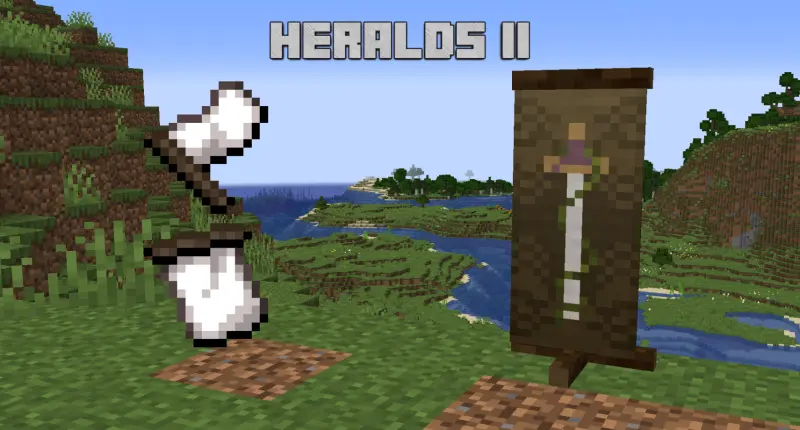
I know how this type of post works, most of you will scroll down to the download & ignore the text, but for those that take the time to read. First, thank you. Second, Hi, i've got some tips that should help you make banners that match the art-style better :3. The Tips section has that!
I am not going to teach you how to make a resource pack, I have a template below that can help, but this lil information guide assumes you've already got some level of familiarity with making that.
Attached below is an .xcf file containing the layers for the designs, and texture templates, this can be opened in GIMP, which is a FOSS alternative to photoshop. I do not have photoshop, nor can I ethically support Adobe as a corporation, so sorry you're not getting a .psd version of this. You can use the .xcf to create & export your designs for use in the mod. Also attached is a resource pack template for replacing the mystical set, this should be modified with your new textures, pack icon, and other resource pack details.
When exporting, you should export them as h2-custom-XX.png, replacing "XX" with whatever number of banner you want to replace. So if you want to replace the Mystical White design, you would export it as h2-custom-1.png and then put that in the appropriate folder in your resource pack. Plan carefully as there's only a limited amount of mystical banners that can be replaced (safely). You can replace other banners with your custom ones, but I don't recommend you do that for servers. You never know what designs people may want to use, and it's not best to take that design away from them. The Mystical Banners are designed to be replaced, so that would not be an issue.
Designing Tips!
When designing, avoid colour extremes, the texturing works best when you don't use pure white or pure black, or extremely saturated colours. My newer designs make use of "Anti-Aliasing" aswell, to try and better blend the colours from farther away. I also avoid text where possible, instead using vaguely "text-like" pixel placements. Another important facet when I design is that I always make the Banner first, this is so I can condense as much information as possible while keeping it looking "correct", then just have to condense the banner version to fit the flag; it's not fun to start with the flag first.
Feel free to upload your resource packs to Curseforge &/or Modrinth, but please do not repost the xcf anywhere else without permission.
Downloads at the bottom of the page!
Where to find me!
I'm active on socials, but do not accept dms from those I have never interacted with before!
© 2026. All rights reserved. Remember you are loved <3
Extra Links
Email me @ lunakibby@pm.me